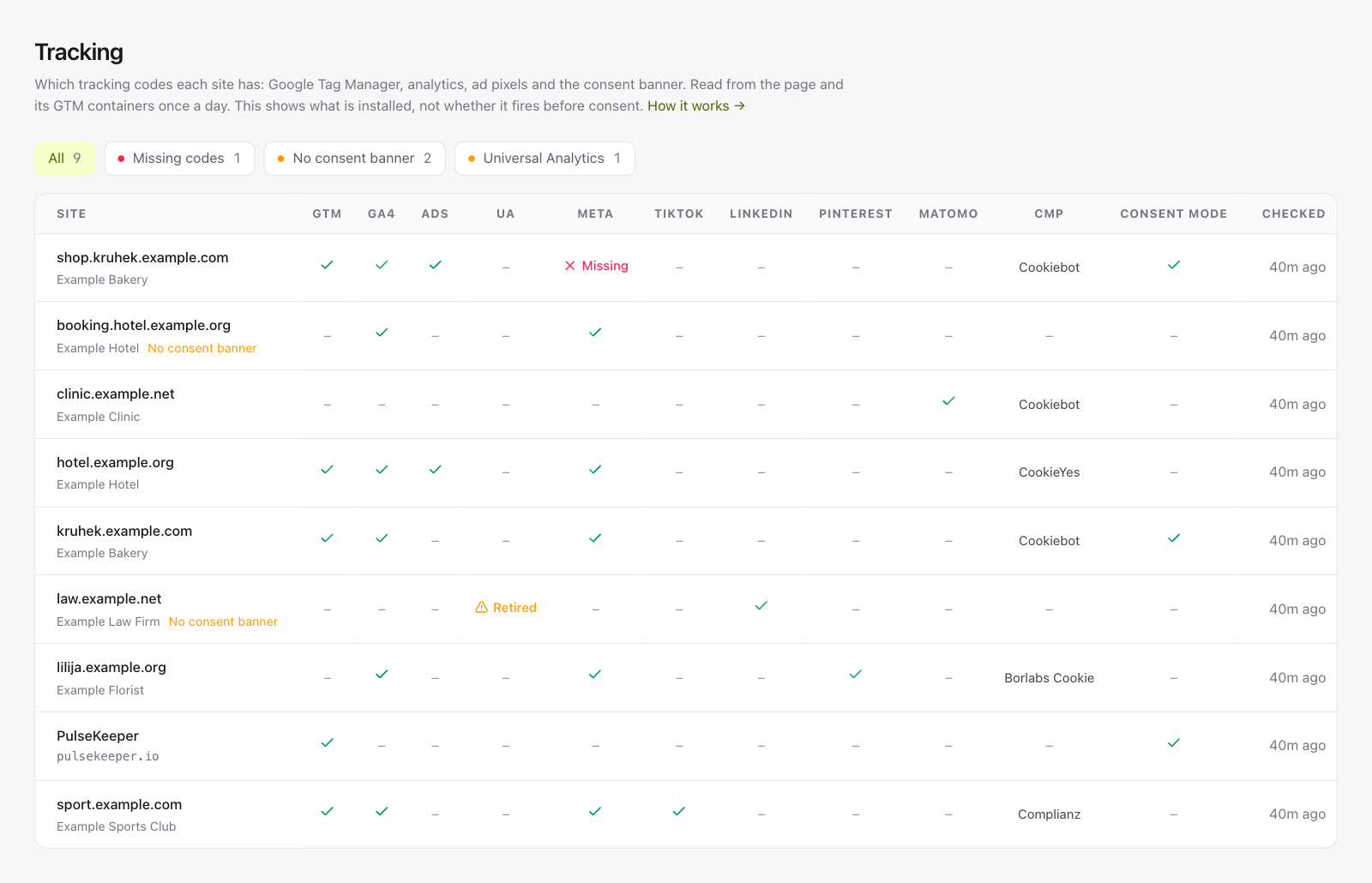
Google Tag Manager, Google Analytics, ad pixels and the consent banner, read from every client site once a day and right after a deploy. When a code disappears, you hear about it before the marketing team finds a hole in the data.
Most sites load GA4 and pixels through Google Tag Manager, not the HTML. We read the GTM containers the page loads, so those count as well.
A code that was there and is gone, or replaced by another ID, is a warning after two checks in a row. A new code is only recorded. No SMS, no reminders.
One row per site, one column per code. Filter by missing codes, sites without a consent banner, or the ones still running Universal Analytics.
We check which codes are installed, not whether a visitor's browser fires them: before consent, most should not. Expected IDs and the check right after a deploy are on Agency.
Uptime monitoring
HTTP, TCP ports and ping, from six regions
Performance monitoring
Response time per location and page load from PageSpeed
Deploy tracking
Every deploy measured before and after
SSL & domain expiry
Certificates and registrations, weeks ahead
DNS history
What changed in your DNS, and when
Alerts
Email, Slack, Discord, Telegram and webhooks, without spam
Site checklist
Indexing, security, speed and email basics, with fix guides
Status pages
One public page for all of a client's services
Maintenance windows
Planned work that does not page anyone
No card, no trial countdown. Add a monitor and it starts being measured before you finish reading this sentence.