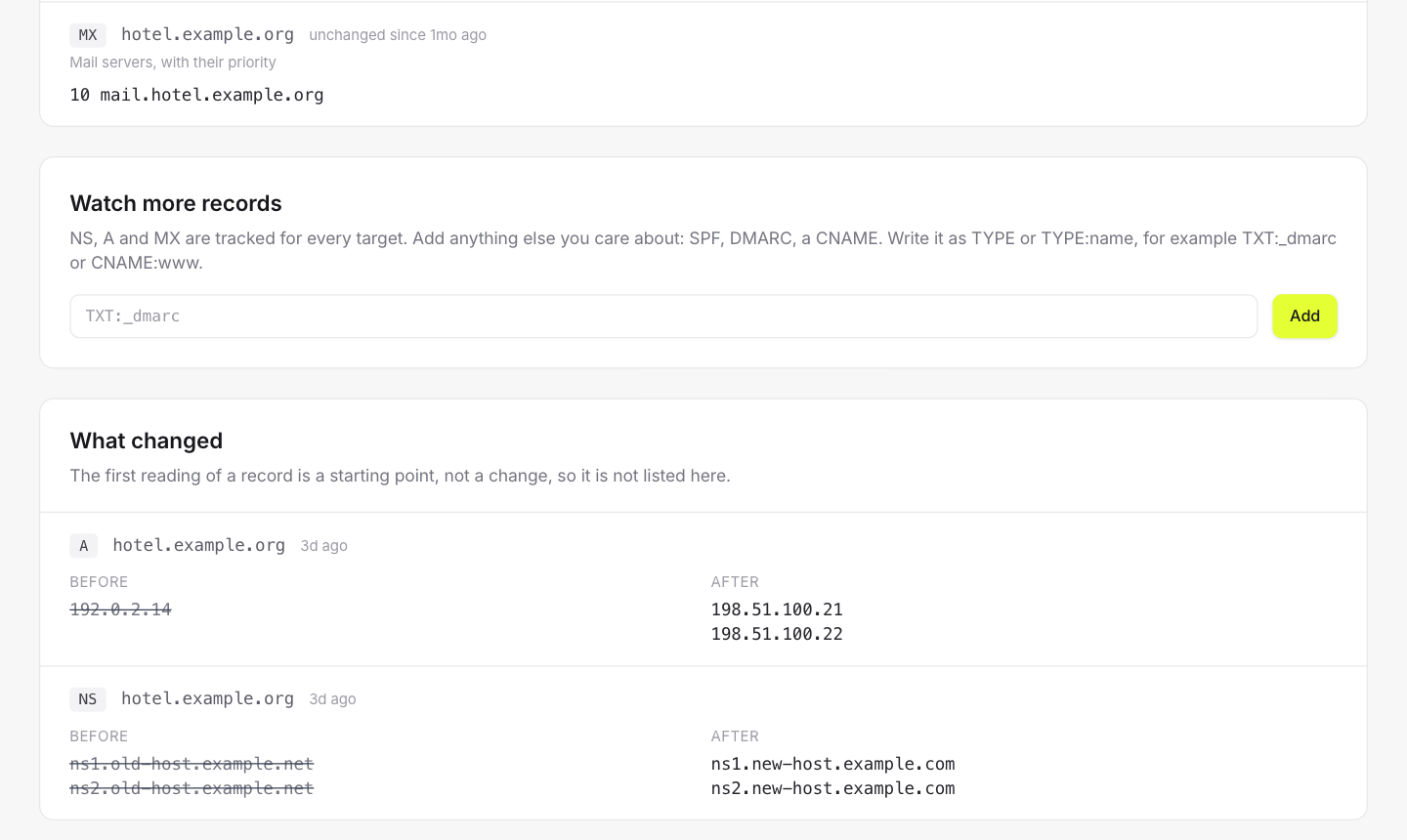
Nameservers, A and MX records are recorded every hour, plus any record you add. When a site goes down after a migration, the history shows what changed and when, without anyone having to remember.
NS and MX are asked at the zone apex, found through DNS itself rather than guessed from a list of suffixes. Add TXT, CNAME or any record you care about.
Records are sorted before comparing: servers rotate their order and an unsorted list would look like a change on every query.
A DNS change is almost always planned, by the person an alert would wake. If a change really breaks the site, uptime monitoring catches it through consensus.
DNS history is a record, not an alarm. If you need an alert on a specific record changing, tell us. It would be an opt-in, not a default.
Uptime monitoring
HTTP, TCP ports and ping, from six regions
Performance monitoring
Response time per location and page load from PageSpeed
Deploy tracking
Every deploy measured before and after
SSL & domain expiry
Certificates and registrations, weeks ahead
Alerts
Email, Slack, Discord, Telegram and webhooks, without spam
Status pages
One public page for all of a client's services
Maintenance windows
Planned work that does not page anyone
No card, no trial countdown. Add a monitor and it starts being measured before you finish reading this sentence.