What Is a Status Page? A Plain-Language FAQ for Agencies
· 4 min read
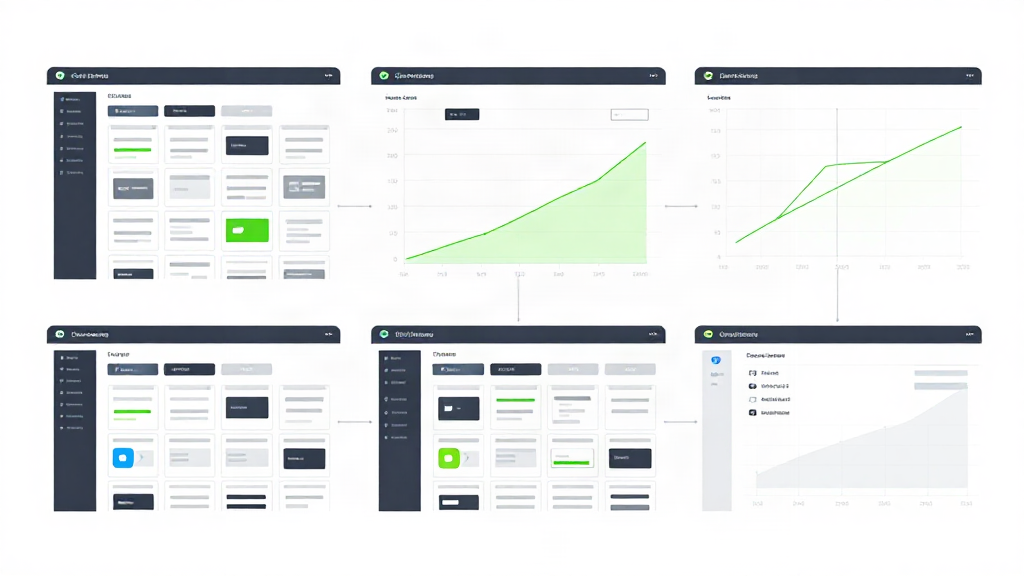
A status page is the page you send a client when something breaks. It answers one question fast: is the site, app, or service up right now, and if not, what is being done about it. That sounds simple. In practice, this is where most agency communication stalls, because monitoring tools speak in metrics and clients speak in plain questions. This FAQ is written for both sides of that conversation.
What is a status page, in one sentence?
A status page is a single public or private webpage that reports the current health of your systems: which components are operational, which are degraded, which are down, and what happened during past incidents.
Think of it as a noticeboard. Instead of every client emailing you to ask "is it down?", they check the board once and see the answer.
What does a status page show?
A good status page shows a short, readable set of facts:
- A current state per component, usually labeled Operational, Degraded, or Down.
- A timestamp, so readers know how fresh the information is.
- An incident history, written in plain language.
- Scheduled maintenance windows, so planned work does not look like a failure.
The best pages keep this to a single screen. A client should not have to scroll or interpret charts to find the word "operational."
What does a status page not show?
This matters more than most people expect. A status page reports status. It is not the monitoring itself.
A status page does not tell you why response time crept up 40% after yesterday's deploy. It does not check SSL expiry, domain renewal, cron heartbeats, or a TCP port on your API. It does not verify a failure across several regions before alerting you. Those are monitoring jobs, and they happen before anything reaches the status page.
The practical split is simple: monitoring decides what is true, and the status page describes that truth in public. One without the other leaves a gap.
What is the difference between a status page and monitoring?
Monitoring runs automated checks on a schedule and alerts a human when something fails. A status page publishes the outcome of those checks to an audience.
PulseKeeper handles both ends of that flow. It checks HTTP, API, TCP, ping, cron heartbeats, SSL, and domain expiry from three regions, and verifies a failure across regions before it fires an alert, so a single flaky check does not wake anyone up. What a client sees on the page is the result of those checks, not a guess.
Should a status page be public or private?
Both exist, and agencies usually need both.
A public status page sits at a link anyone can open. Use it when the service has many end users, when you want to reduce inbound "is it down?" messages, and when transparency helps trust.
A private status page sits behind a link or a password, visible only to the people you invite. Use it when the work is bespoke and confidential: a client portal, an internal tool, a staging environment, a white-label product with one tenant per page.
The rule of thumb: if the audience is unknown and large, go public. If the audience is a named client or a small group, go private.
When should an agency use a private status page?
More often than you would think. Consider a client portal that only their staff uses. A public page adds no value and creates awkward questions if a competitor stumbles across it. A private page gives the client the same reassurance with none of the exposure.
Agencies that manage many client sites tend to run one private status page per client. That keeps each client's incidents, maintenance windows, and component names separate and relevant.
What is a white-label status page?
A white-label status page is one you publish under your own brand, not the monitoring vendor's. Your logo, your domain, your colors, your wording. The client never sees where the checks come from.
For agencies, this is the difference between looking organized and looking like a reseller. When you send a status link, you want it to read as your work.
Why does white-label matter for client communication?
Because every touchpoint is a brand impression. If the status page a client checks during an outage carries another company's logo, that is the name they associate with your reliability. If it carries yours, the same outage reinforces that you were on top of it.
White-label also simplifies the handover. You publish one link, the client bookmarks it, and neither side has to explain a third-party dashboard. For non-technical clients, that is often the only monitoring artifact they will ever open.
Do I need a status page if I already have alerts?
Alerts tell you. A status page tells everyone else, without you repeating yourself.
During an incident, the value of a status page is that it answers the same question once, for all readers, at the same time. Without one, you answer it repeatedly in email, in Slack, and on calls, while the actual fix is waiting for your attention.
What should go in an incident update?
Three things, in this order: what is affected, what you are doing, and when readers will hear from you again. Skip the root-cause essay during the incident. Save that for the postmortem, and keep the running updates short.
The short version
A status page answers one question quickly: is it up, and what is happening. Monitoring decides the answer, and the status page publishes it. Public pages work for broad audiences; private pages work for named clients. White-label publishing keeps the trust you built pointed at your own brand.
If you manage sites for clients, the page is not the whole story, but it is the part your clients actually read.
Monitor your client sites with PulseKeeper
Uptime from several regions, verified before anyone is alerted. Free to start, no card required.